 Nigraan
Everything the counter and the office need
Built around how a Pakistani pharmacy actually runs
What Nigraan does inside the pharmacy, and what it puts on the owner’s phone.
Billing keeps working even when the internet is down. Nigraan runs on your own computer first, so a dead connection never stops a sale.
Built for the counter: keyboard shortcuts for everything, barcode scanning, and batch-wise prices picked for you.
See pricing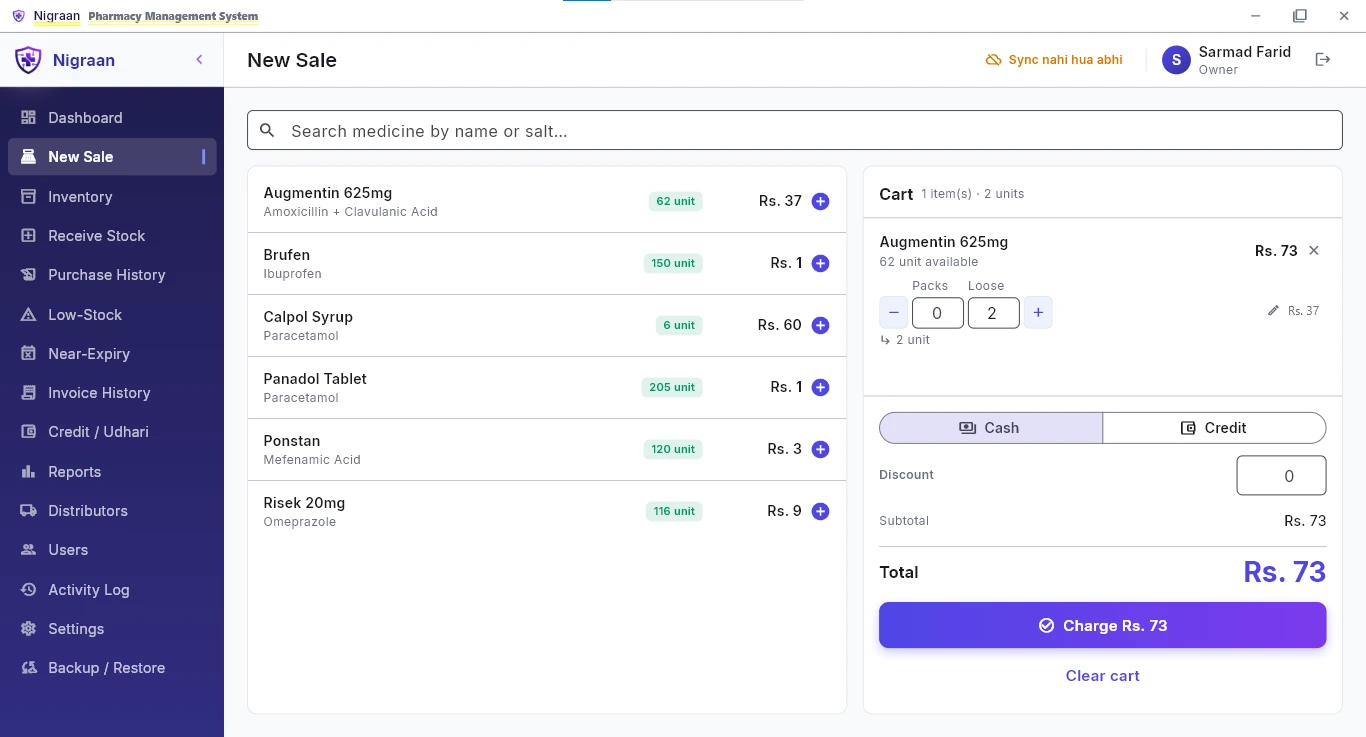
Each batch is its own record — batch number, expiry date, and the distributor it came from.
Loose tablets and full strips stay in one count, so you are not doing the maths twice for the same medicine.
See pricing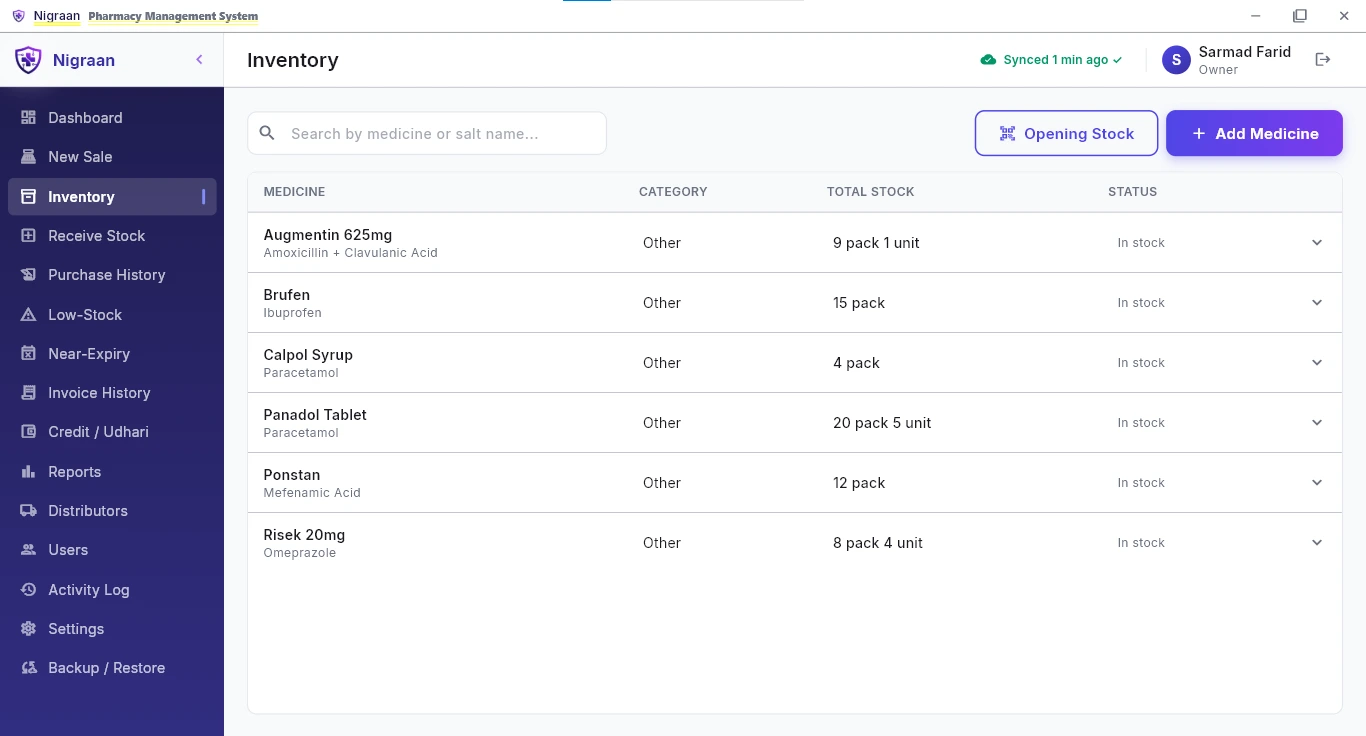
Log every purchase the way the distributor’s invoice is written — batch number, expiry, pack and loose quantity, bonus, and both purchase and sale price on the same row.
GST and freight sit on the same invoice and the grand total is worked out for you. Turn on “make sale price the new default” and future bills pick up the new rate on their own.
The little things save the most time: type-to-search to pick a medicine, GST entered straight from the slip as a rupee amount, a per-distributor margin that can suggest each line’s sale price, and a batch whose distributor you can set later if it came in unknown.
See pricing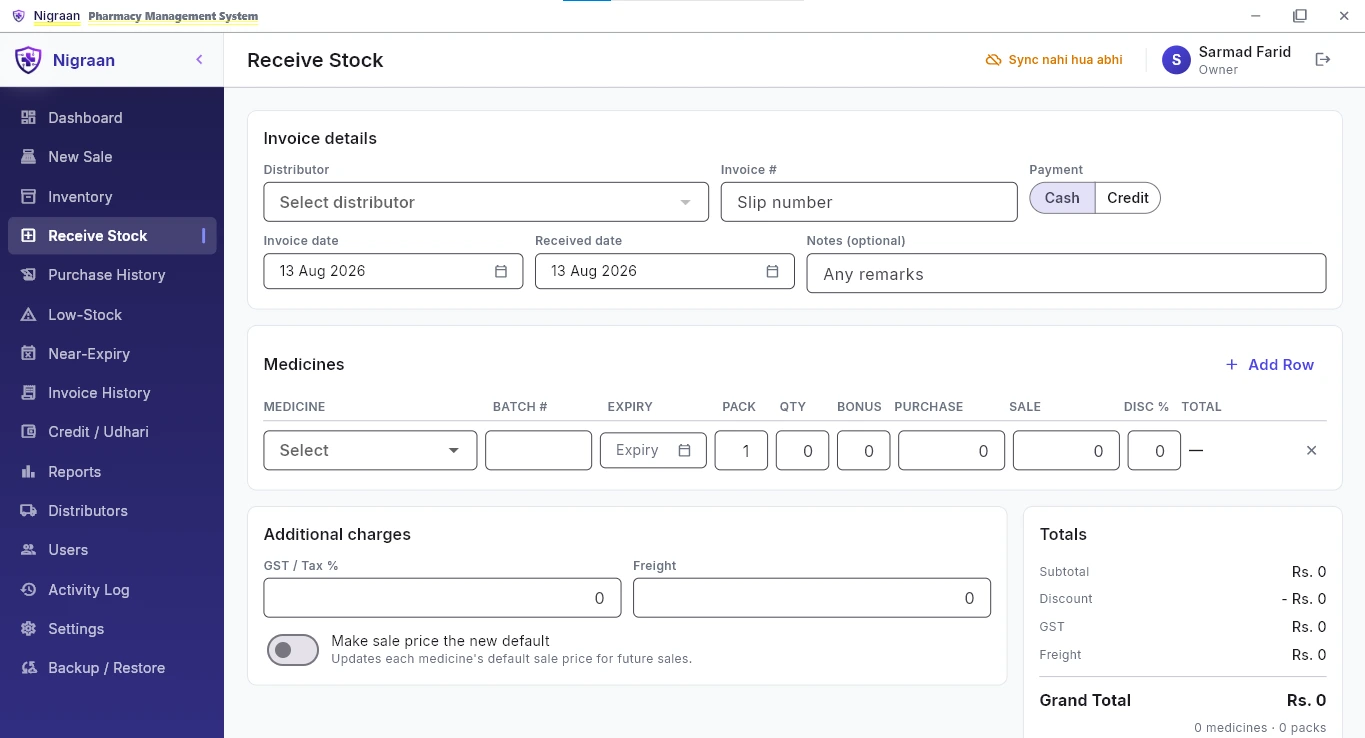
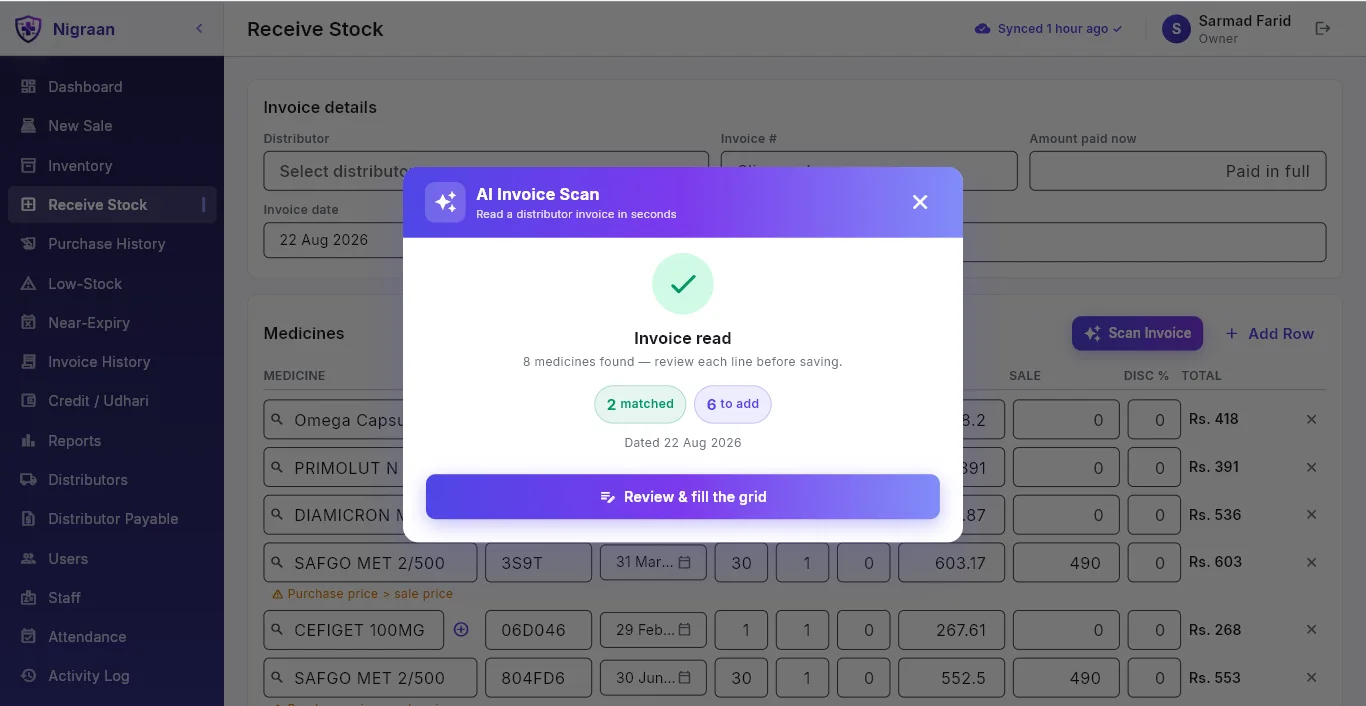
Take a photo of the distributor’s purchase invoice and Nigraan reads it and fills in the Receive Stock rows — medicine, batch, expiry, pack and loose quantity, bonus, and purchase and sale price. You review and save instead of typing every line of a long slip.
It matches medicines to your existing catalog and clearly flags anything it cannot match, so you add it in a click.
It is an online assist. If you are offline, or it is unsure about a line, you enter the invoice by hand exactly as before — nothing is lost.
See pricing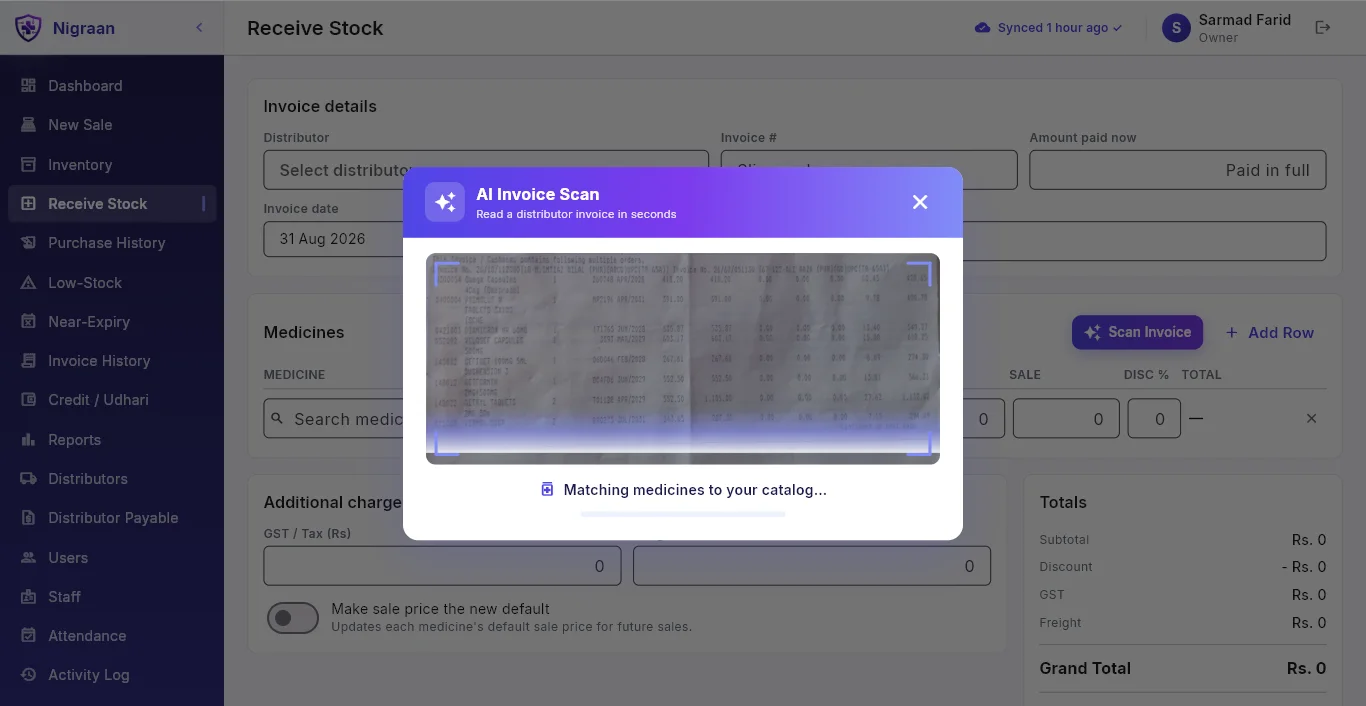
Every distributor has a different return window — 180 days, 90 days, 30 days. Nigraan alerts you against that window instead of one generic threshold.
A medicine from a 180-day distributor surfaces early enough to actually return it, while a 30-day one does not clutter your list for months.
You see what is returnable now, grouped by the distributor you have to call.
See pricing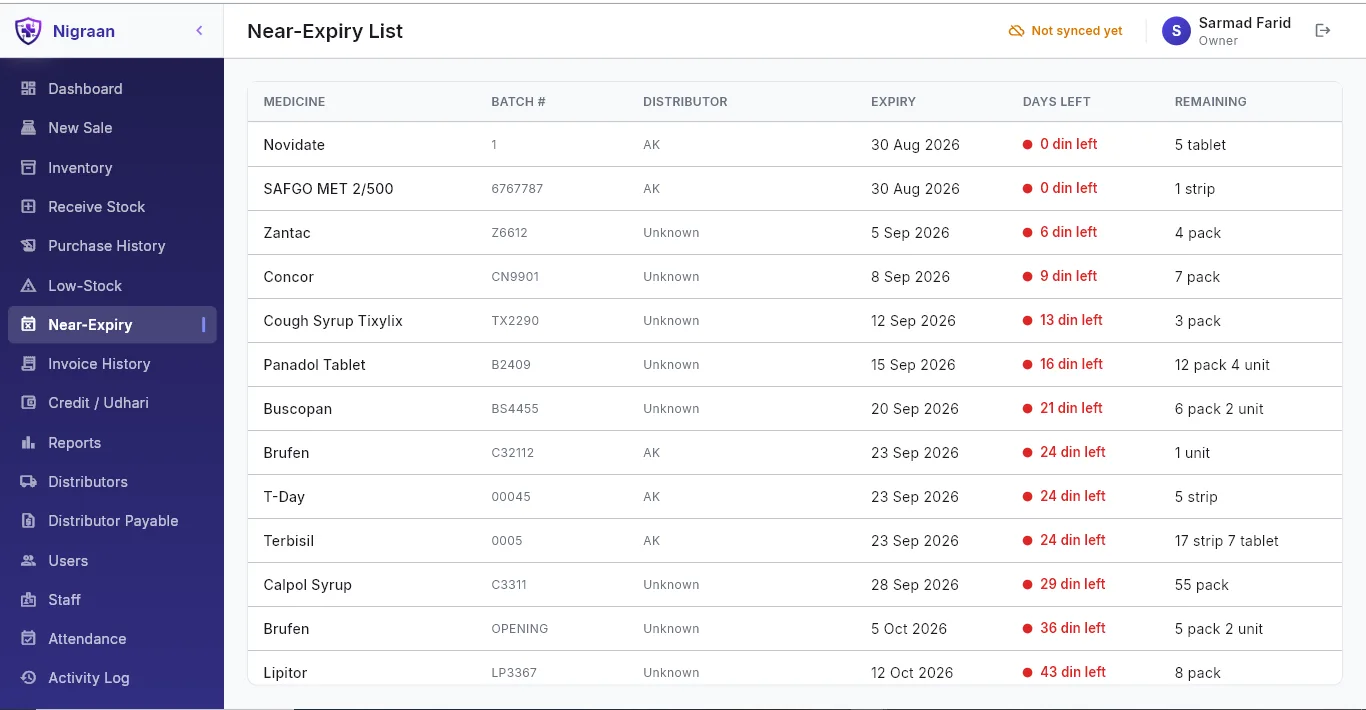
Customer-wise balances with a running balance on every entry, so a disputed amount can be traced back line by line.
Who owes what — at a glance, without flipping through a register.
See pricing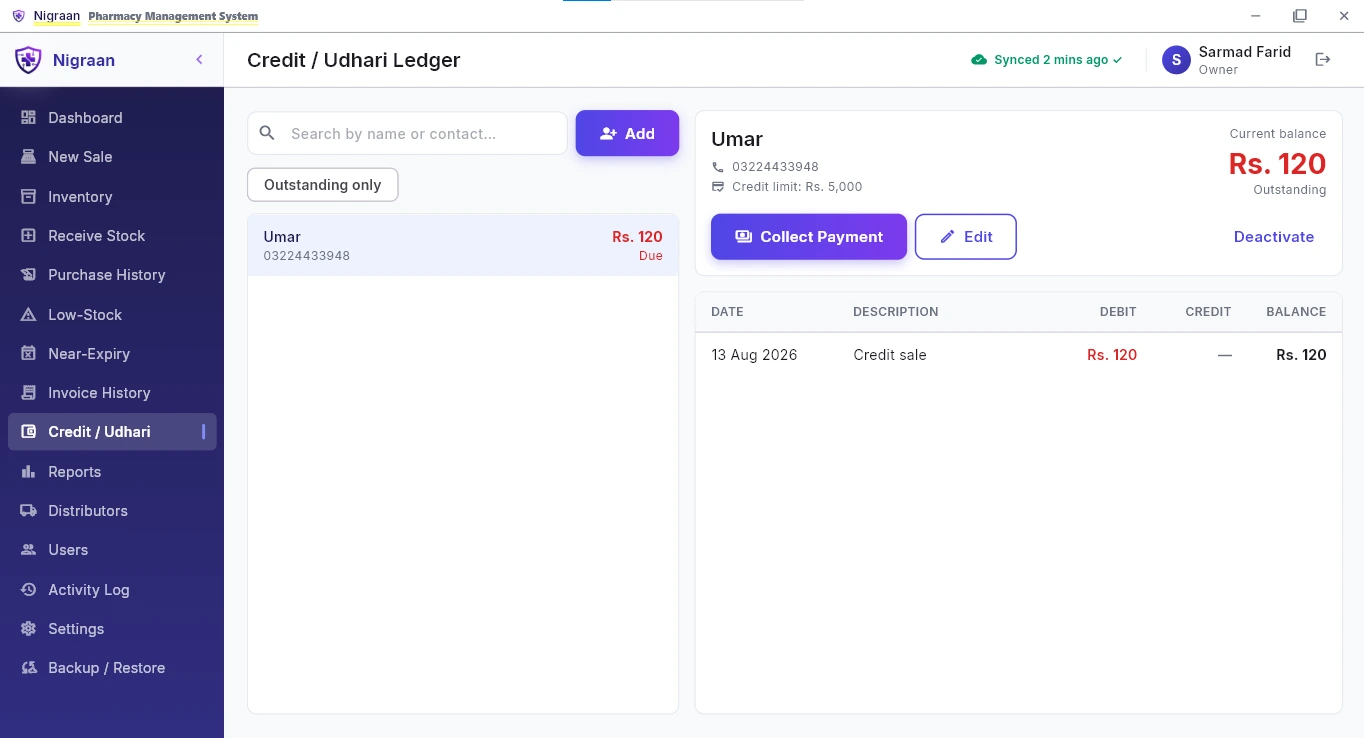
The Udhari ledger tracks what customers owe you. Nigraan now also tracks what you owe each distributor — when you receive stock, you record how much you paid now, and the rest becomes a payable.
Each distributor has its own balance and a running ledger, so you know exactly what is due to whom, instead of guessing when the distributor’s man comes to collect.
See pricing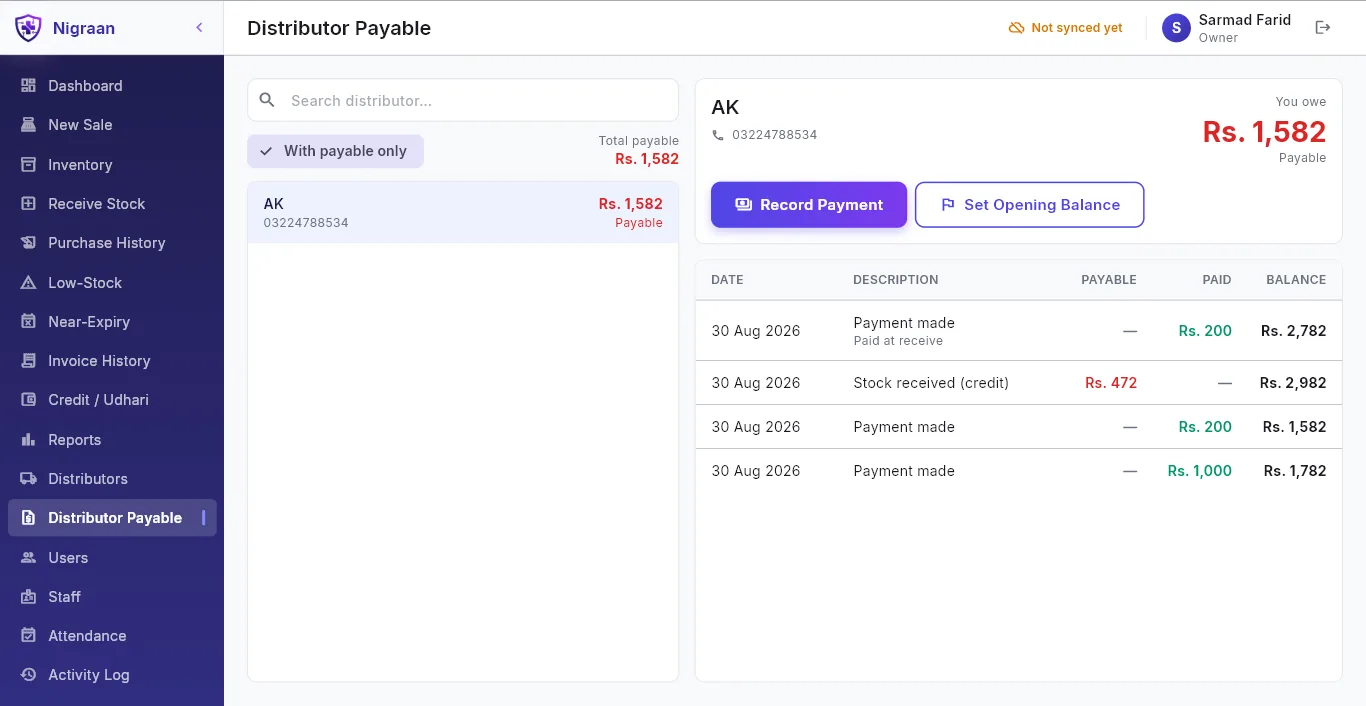
Sales, profit and transactions on your phone, from outside the pharmacy. It is read-only — the app shows, it never changes anything.
Every screen carries a “Last updated” time, so you always know how fresh the data is.
See pricing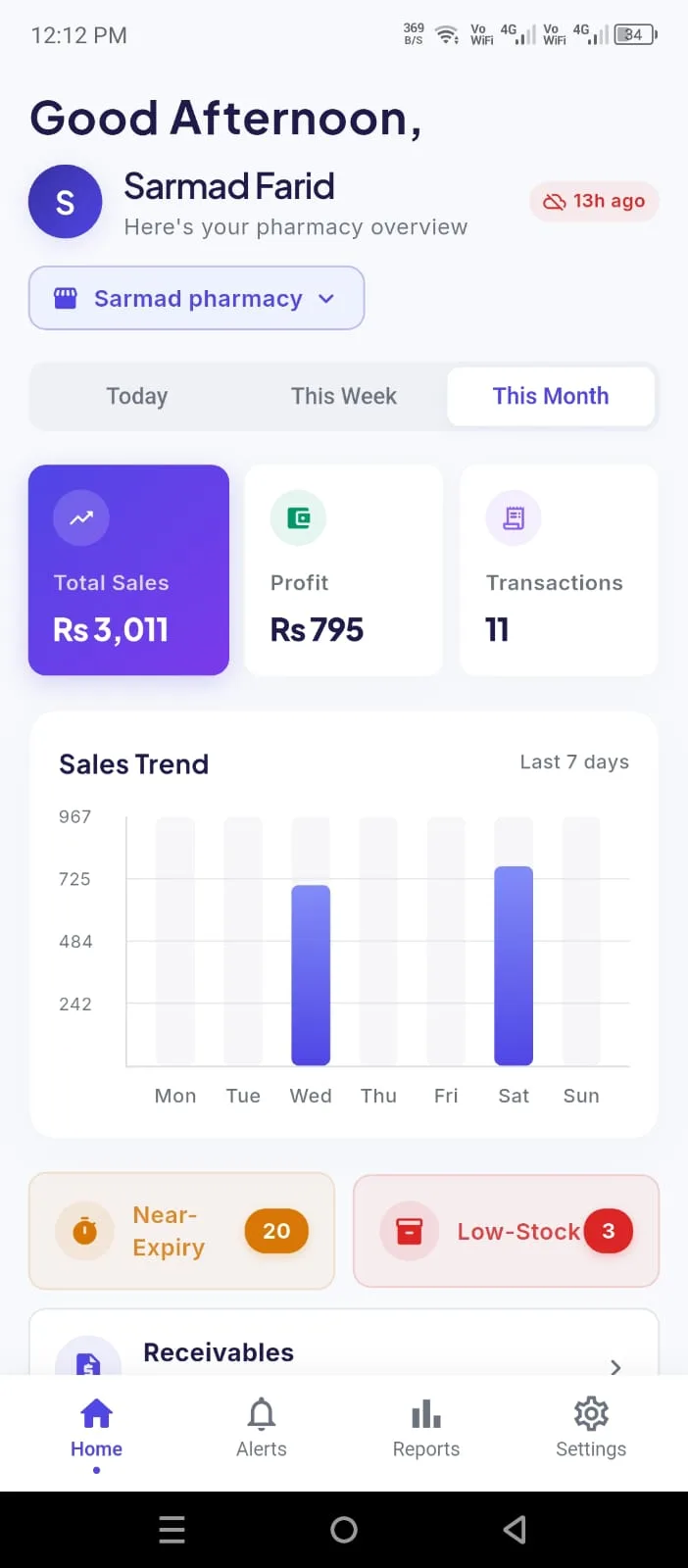
The owner app flags customers whose Udhari has been outstanding too long — past a number of days you set — along with the total amount pending.
Stale balances surface on your phone instead of hiding in the register, so you can follow up and recover before it turns into a bad debt. Read-only, as of the last sync.
See pricing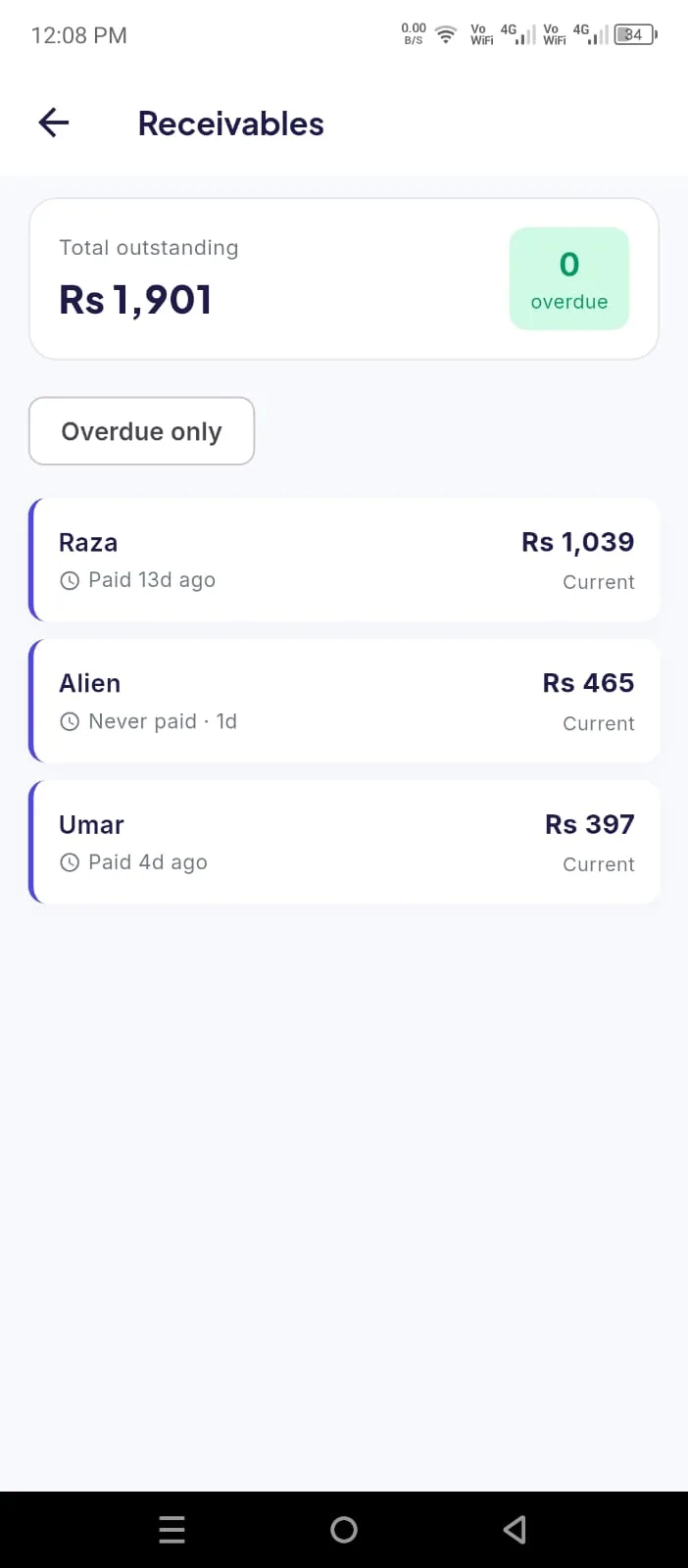
Run more than one pharmacy? The owner app lets you switch between branches and see each branch’s own sales, alerts and activity, with push notifications tagged by the branch they came from.
Each branch still runs on its own computer — this is about watching several shops from one phone, not billing across counters in one shop.
See pricing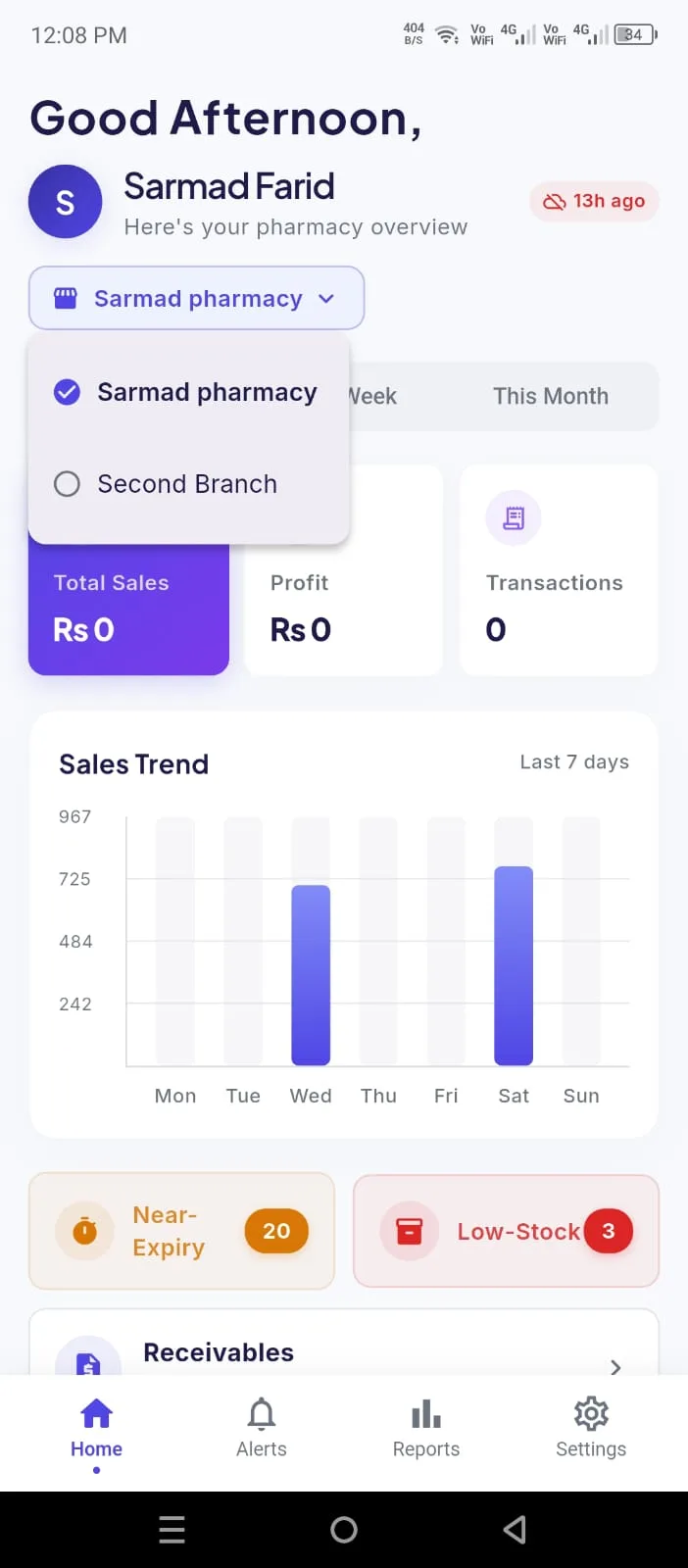
A deleted bill disappears from the day’s report. In Nigraan its record stays, with who did it and when.
Your phone gets a push notification — tap it to open straight to that screen — for a salesman’s return, a bill an owner edited or deleted, a medicine running low, and a batch nearing expiry. Everything is as of the last sync, not real-time.
See pricing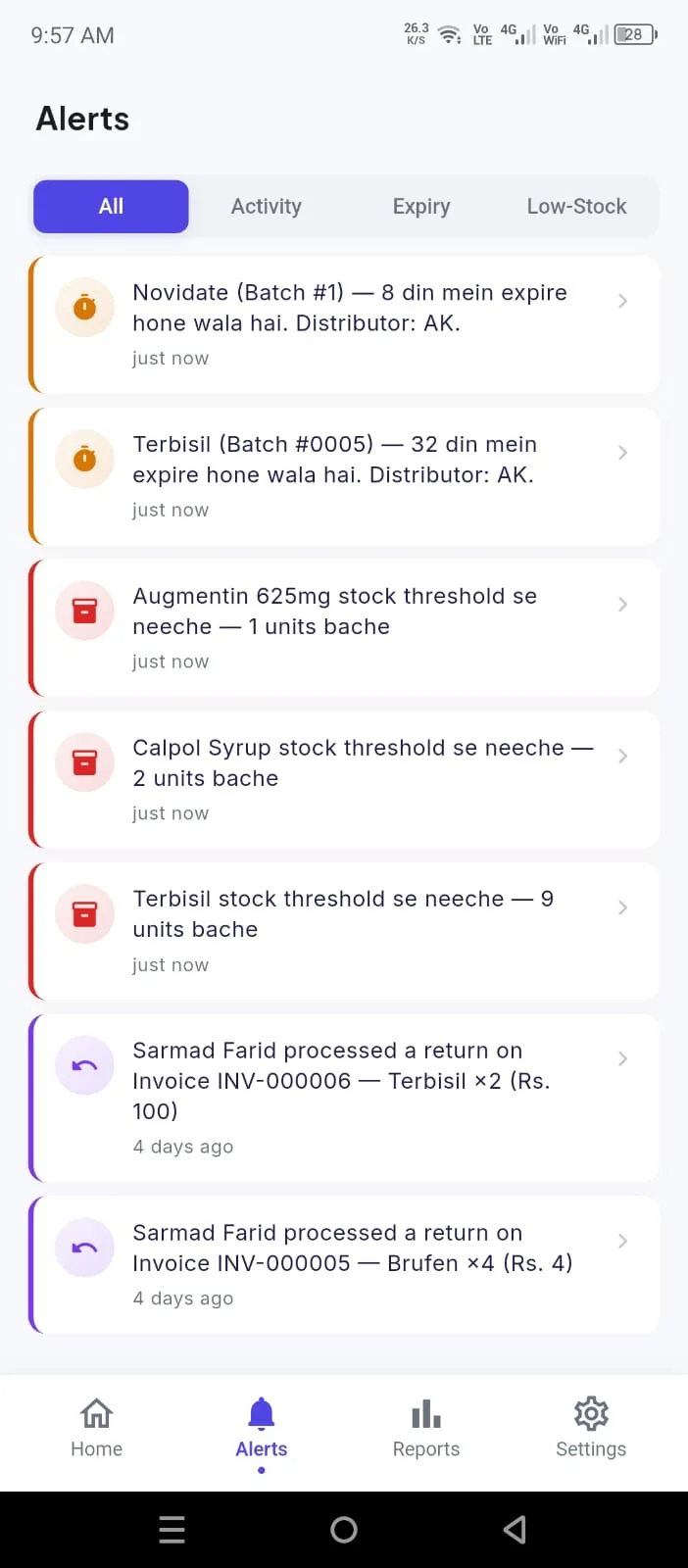
Keep your team inside Nigraan: staff profiles, daily attendance, and advances (pesh-gi) with a running outstanding balance for each person.
Run monthly salaries the easy way — base pay with additions and deductions, advance recovery taken off, and net pay worked out for you.
It runs on the counter computer, and the owner sees it reflected on the phone. No separate register or notebook to keep in step.
See pricing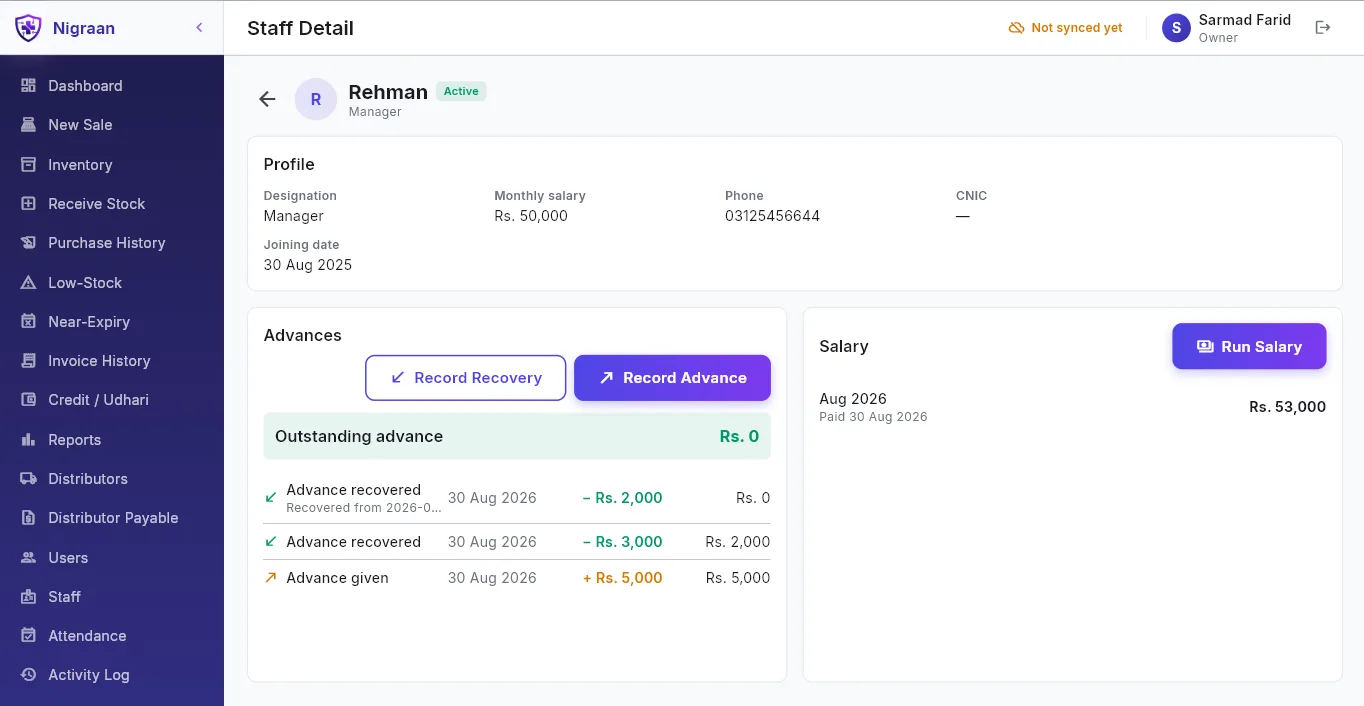
Backup runs continuously in the background, and the app shows you when it last ran — “Last backup: 12 mins ago”, on screen.
It is not a hidden menu option somebody has to remember to click.
See pricing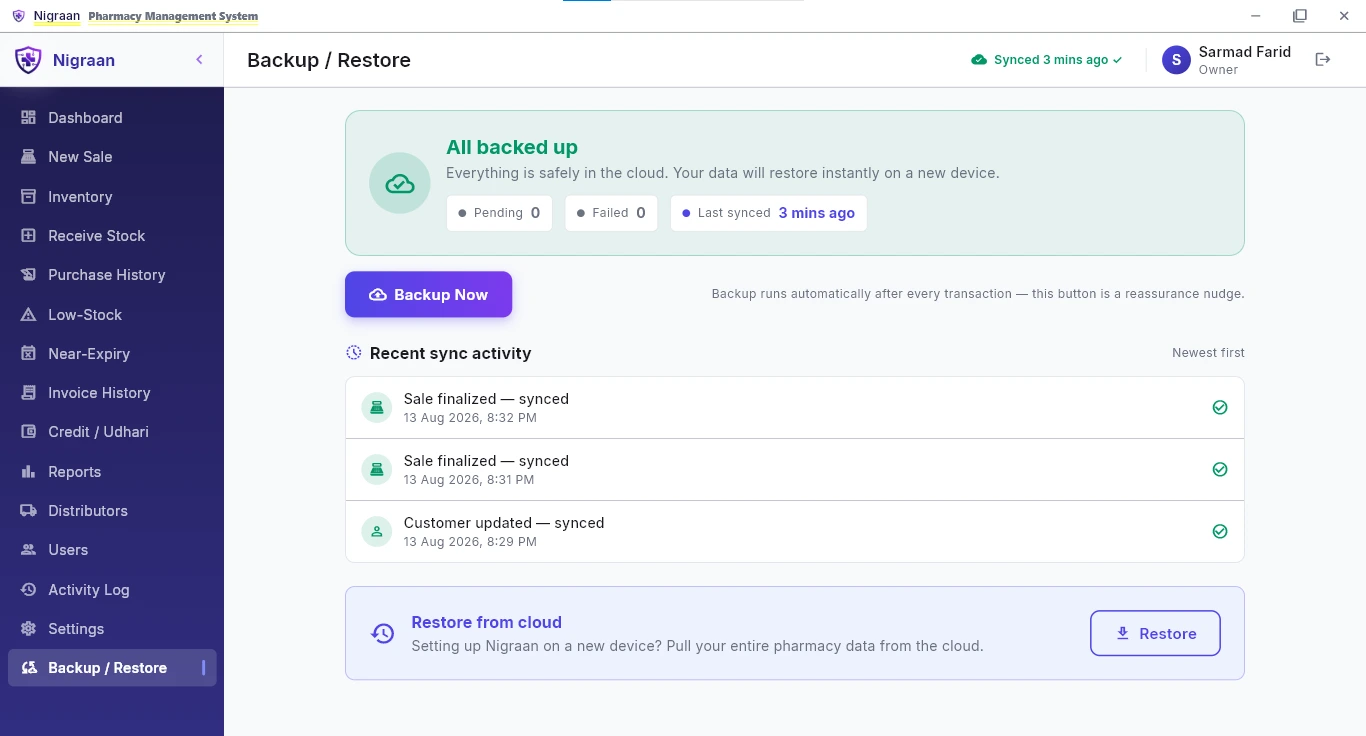
Daily sales with cash and credit split out, profit, and top-selling items.
Same numbers the owner sees on the phone, as of the last sync.
See pricing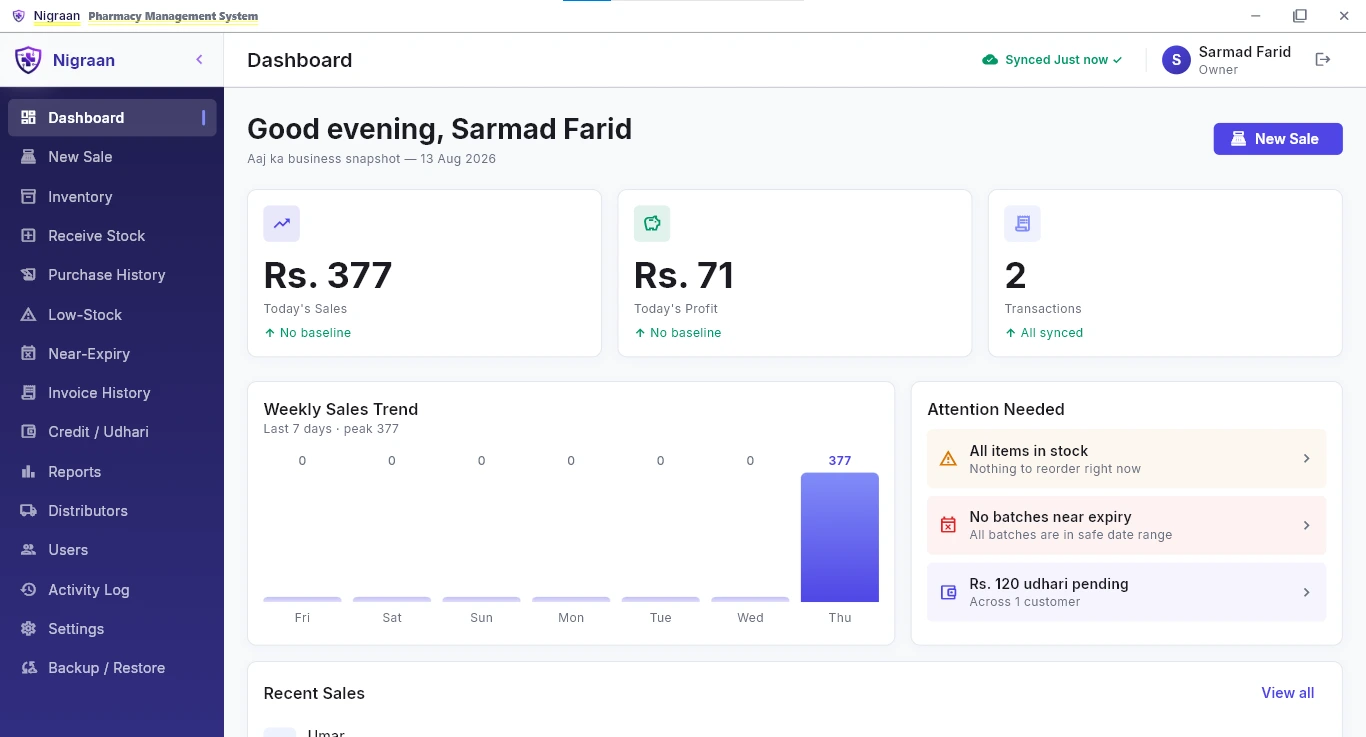
Desktop and mobile, side by side
The desktop app runs the pharmacy. The owner app is read-only — it shows, it never changes anything. Everything on the phone is as of the last sync, not real-time.
| Feature | Desktop appRuns the pharmacy — Windows | Owner appRead-only — Android |
|---|---|---|
| Offline billing & checkoutBills through a dropped internet connection | ||
| Batch & expiry inventoryEvery batch tracked with its own expiry | ||
| Receive stock & purchasesPurchase invoices with batch, expiry and rates | ||
| Scan the distributor invoicePhoto of the slip fills the Receive Stock rows (New) | ||
| Stock correction | ||
| Udhari & Khata ledgerManage on desktop; pending total on the phone | ||
| Distributor payable ledgerWhat you owe each distributor | ||
| Staff, attendance & salaryOwner sees it reflected on the phone | ||
| Per-distributor expiry alertsAgainst each distributor’s own return window | ||
| Low-stock alerts | ||
| Overdue-Udhari alertLong-pending customer balances, on the phone | ||
| Sales, profit & top-selling reports | ||
| Invoice detail & history | ||
| Audit trail — edits, deletes, returnsA deleted bill keeps its record | ||
| Push notificationsSalesman returns, bill edits, low-stock, near-expiry | ||
| Multi-branch monitoringWatch several pharmacies from one phone | ||
| Cloud auto-backupRuns continuously, shows when it last ran |
Roles & permissions
Three roles. The salesman handles the counter, a manager runs the back office — receiving stock, inventory, ledgers, cost and profit — while owner-only controls like users, settings, editing a bill and the audit log stay with the owner.
| What each role can do | OwnerFull access | ManagerRuns the back office | SalesmanDay-to-day at the counter |
|---|---|---|---|
| At the counter | |||
| New sale & checkoutBill at counter speed, cash or credit | |||
| Stock searchFind a medicine, batch and price | |||
| Invoice history & returnsLook up past bills and take a return | |||
| Low-stock alerts | |||
| Near-expiry alerts | |||
| Own shift reportA salesman sees only their own shift | |||
| Back office | |||
| Inventory — add & edit medicines | |||
| Receive stock & purchasesPurchase invoices, batches and rates | |||
| Stock correction | |||
| Customers & Udhari ledgerBalances and the running Khata | |||
| Distributor payable ledgerWhat you owe each distributor | |||
| Staff, attendance & salary | |||
| Cost & profitPurchase cost and profit margins | |||
| All reportsSales, profit and top-selling | |||
| Owner only | |||
| Edit or delete a billEvery change is kept in the audit log | |||
| Audit logWho did what, and when | |||
| Users & roles | |||
| Settings | |||
| Cloud backup | |||
Want to see these on your own data?
Message us and we will walk you through the software. Installation, data migration and salesman training are part of the setup.