 Nigraan
Made for pharmacies in Pakistan
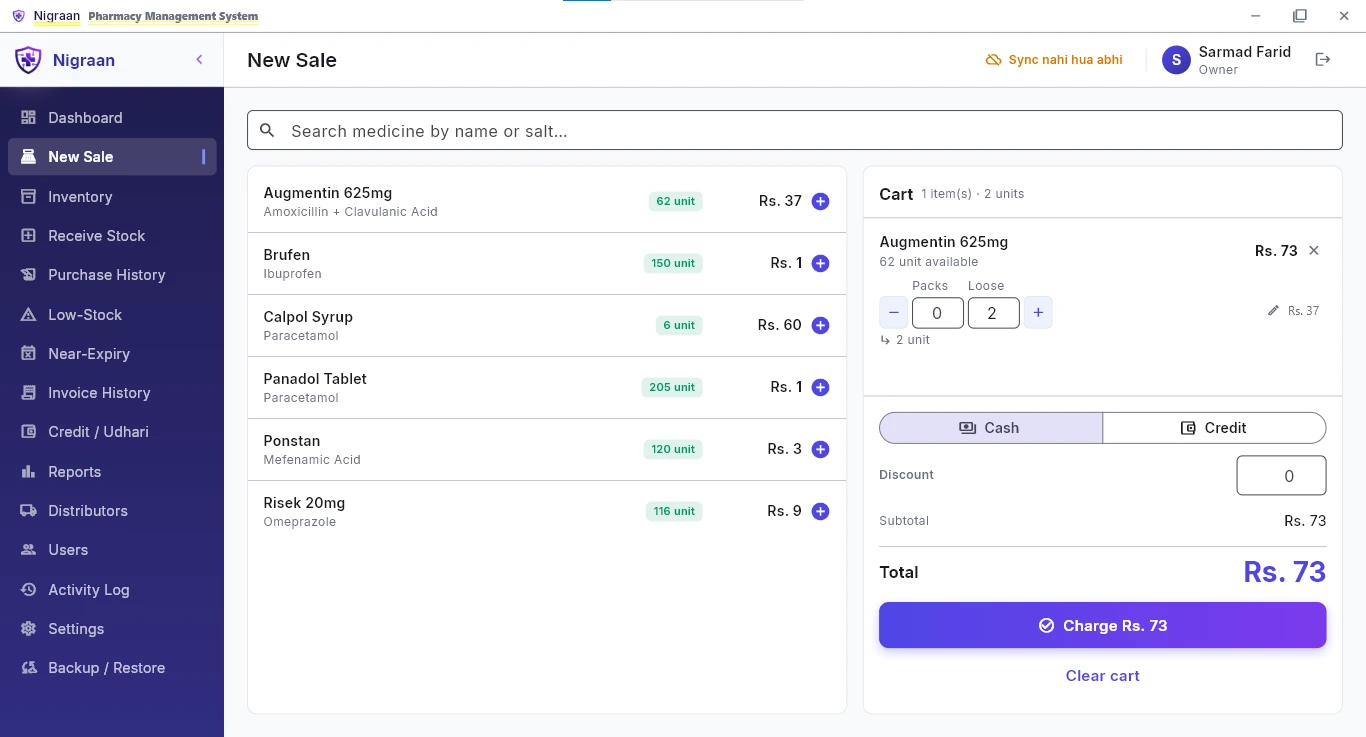
Pharmacy software that keeps billing when the internet does not.
Nigraan runs offline on your counter computer and backs up to the cloud — while the owner sees sales, profit and every edited bill on an Android app.
First month free for our first 5 pharmacies · No card needed
The problem
Why pharmacy owners switch
You leave the pharmacy and the day’s numbers leave with it.
Sales, profit and activity sit on your phone, updated at every sync.
A bill gets deleted and there is nothing left to check.
The record stays, with who deleted it and when — and your phone gets an alert.
Expiry warnings come too late, or for the wrong medicines.
Alerts follow each distributor’s own return window instead of one fixed number of days.
Nobody is sure whether the backup is actually running.
Backup runs continuously and the app shows you when it last ran, on screen.
Owner app
The pharmacy in your pocket
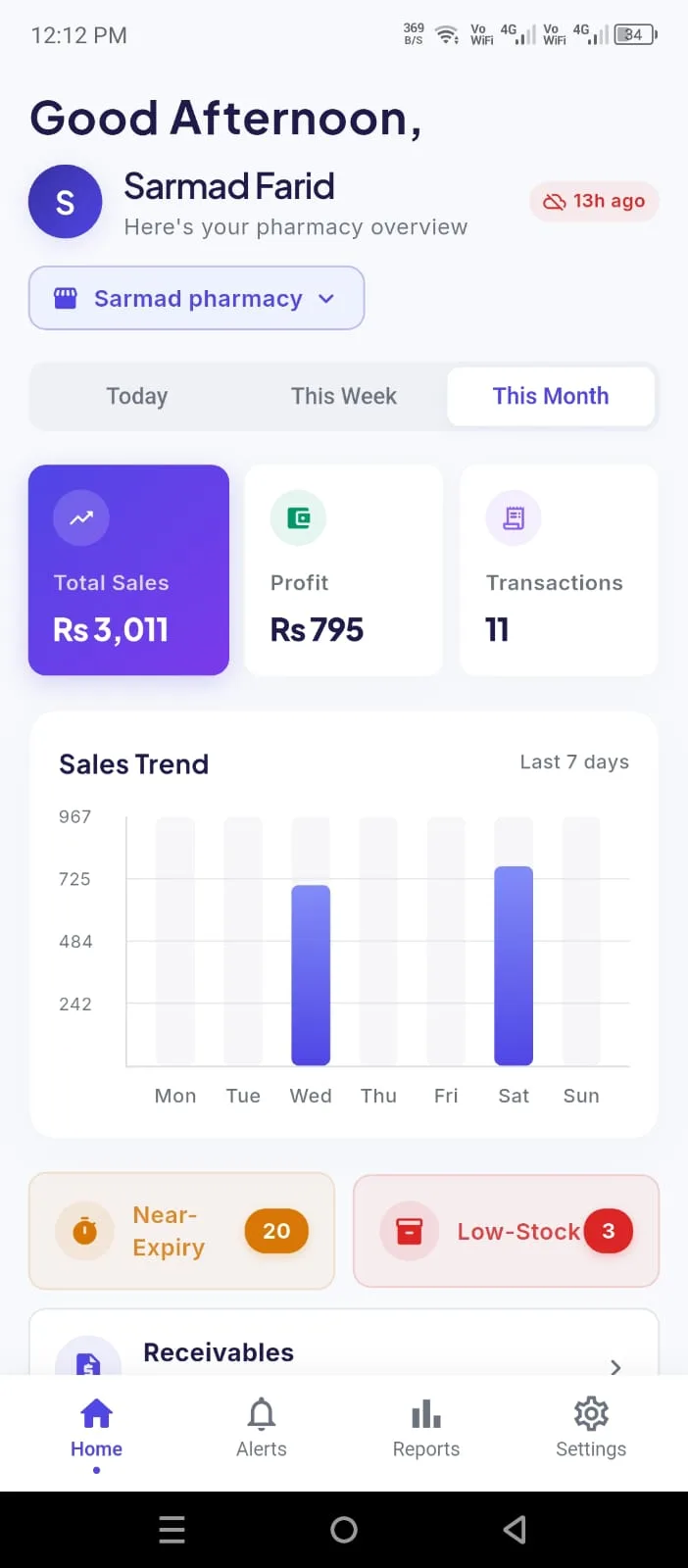
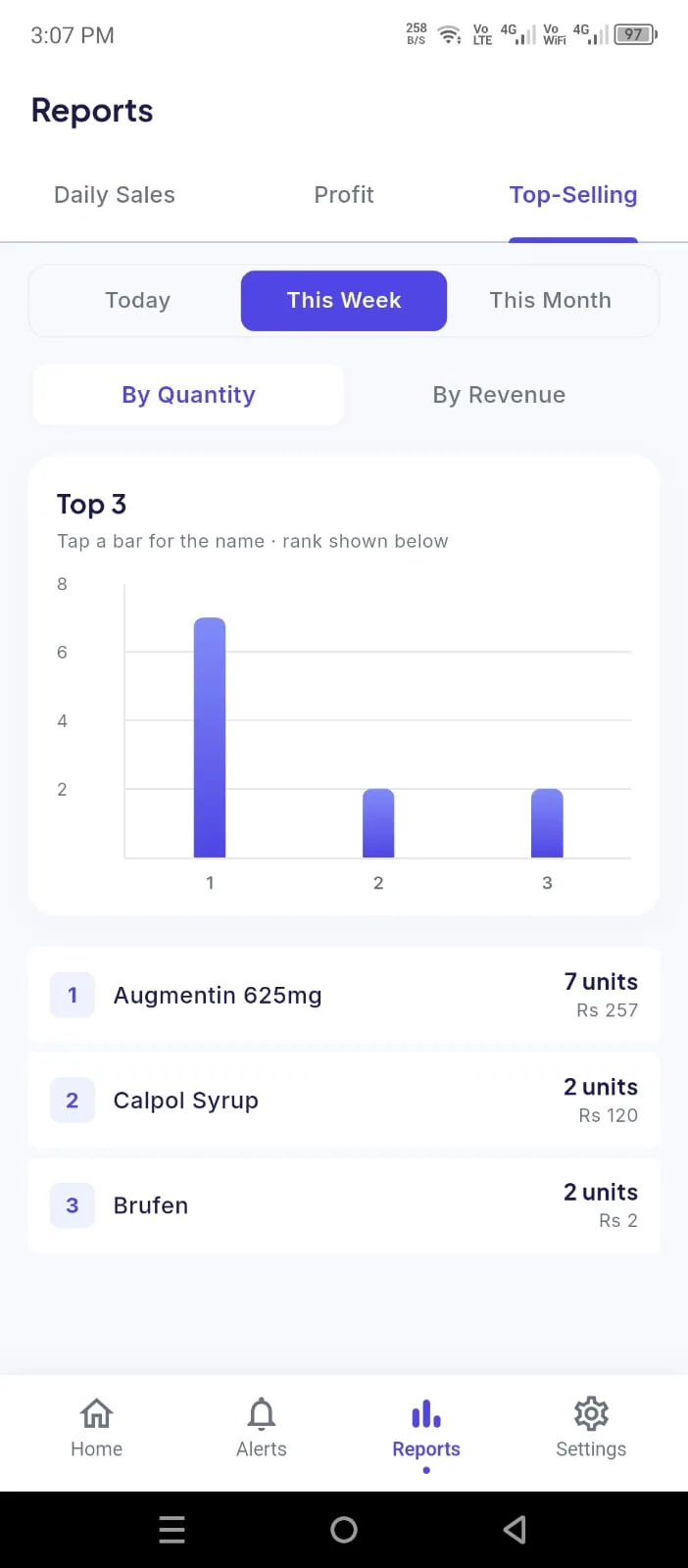
Today at a glance
Sales, profit and cash-versus-credit for the day, without calling the counter.
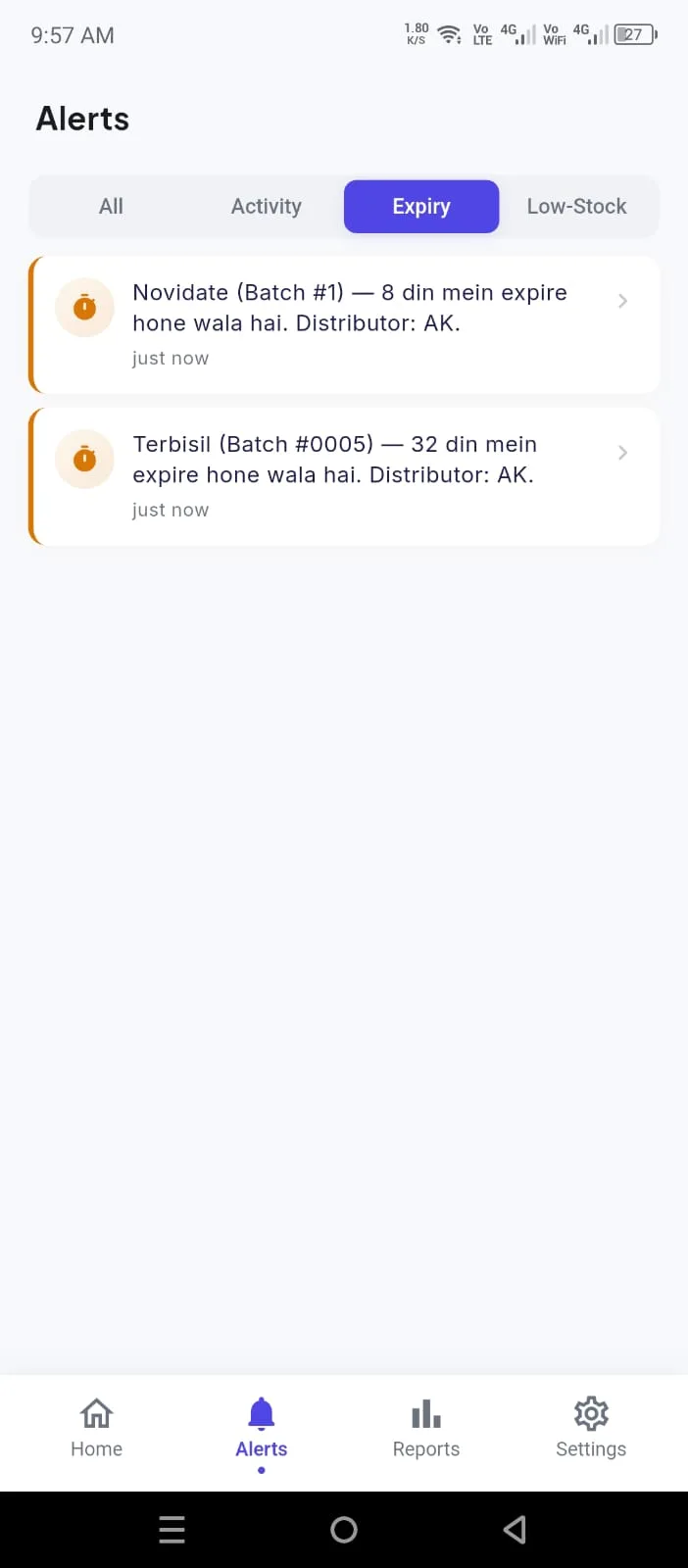
Expiry and low-stock alerts
What is close to expiry and what is running out, before it becomes a loss.
Overdue Udhari follow-ups
Customers whose balance has been pending too long, with the total — so you chase it before it turns bad.
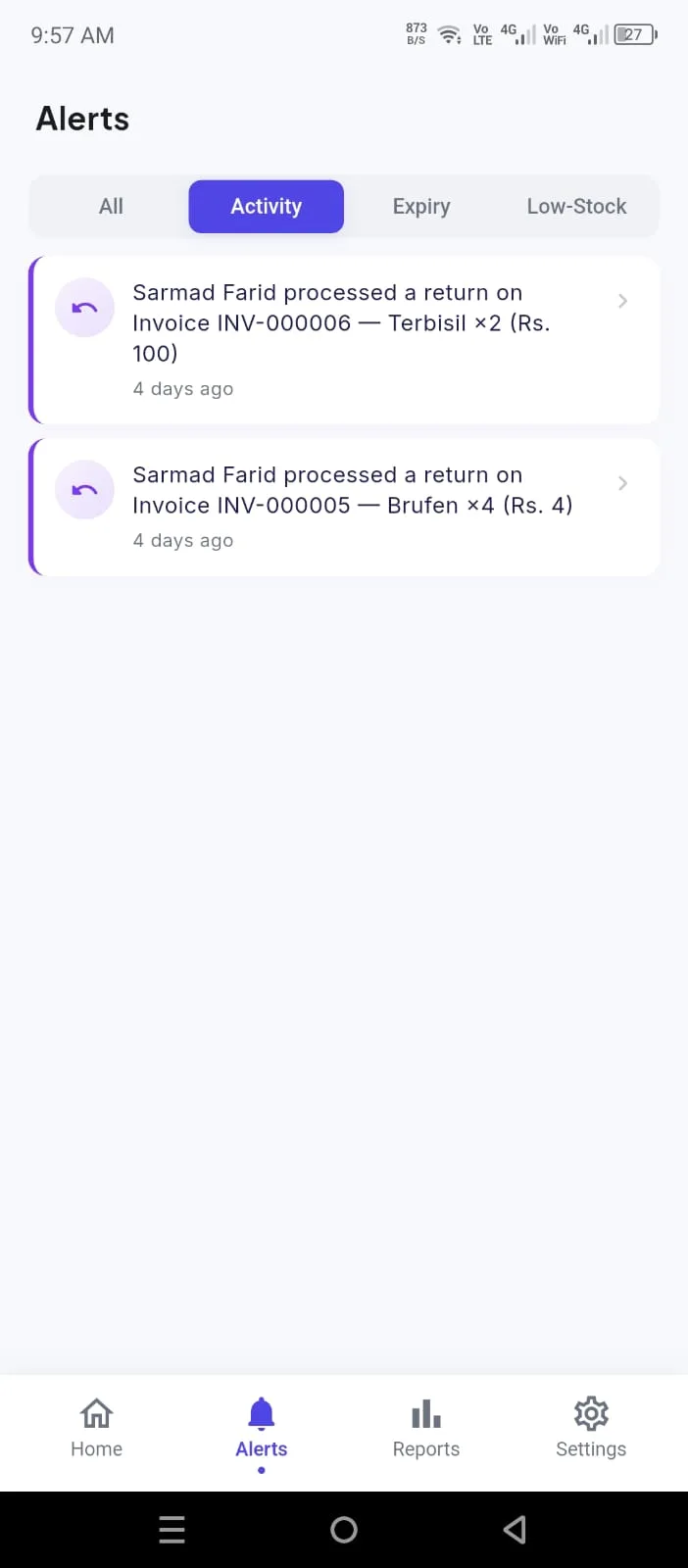
Activity feed
Edited bills, deleted bills and salesman returns as they are recorded.
More than one branch
Switch between your pharmacies and see each one’s own sales, alerts and activity, with push tagged by branch.
Every screen shows a “Last updated” time — you always know how fresh the data is.
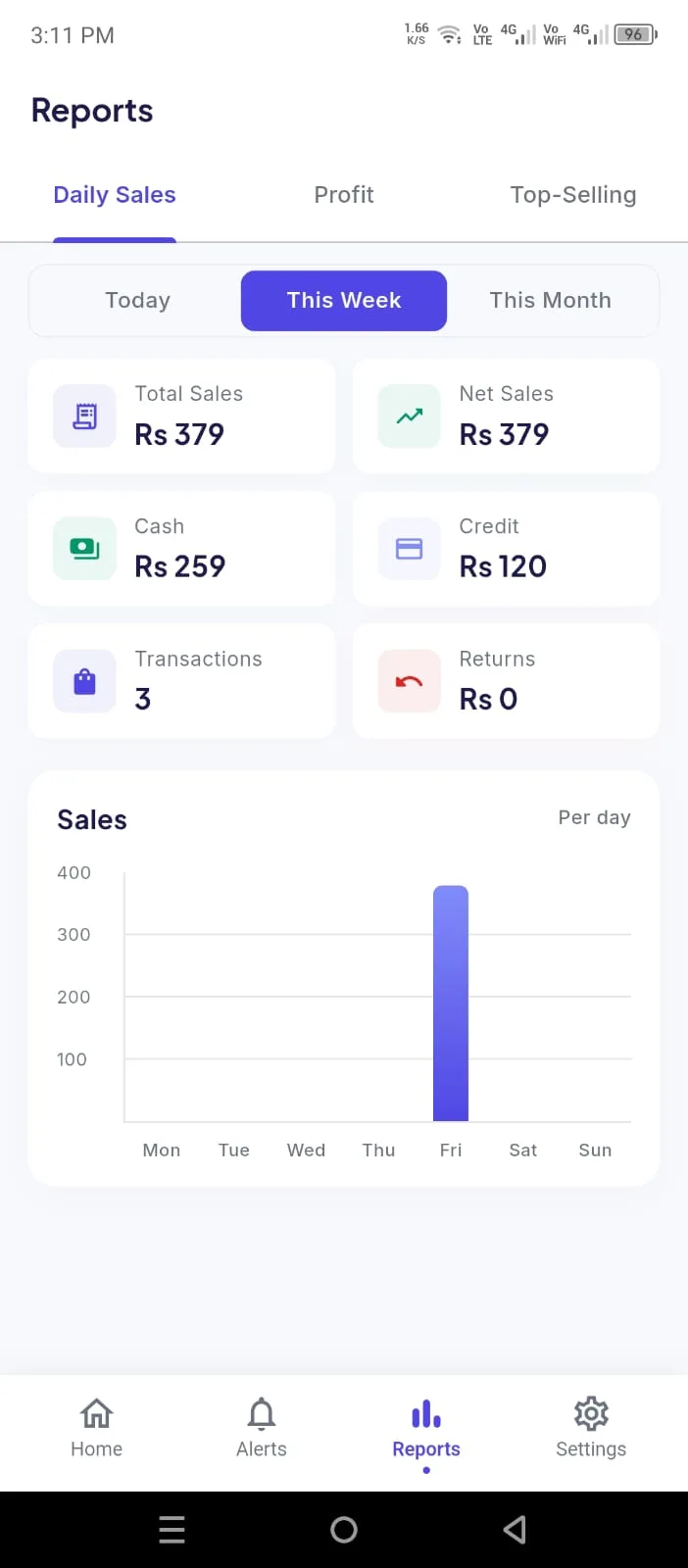
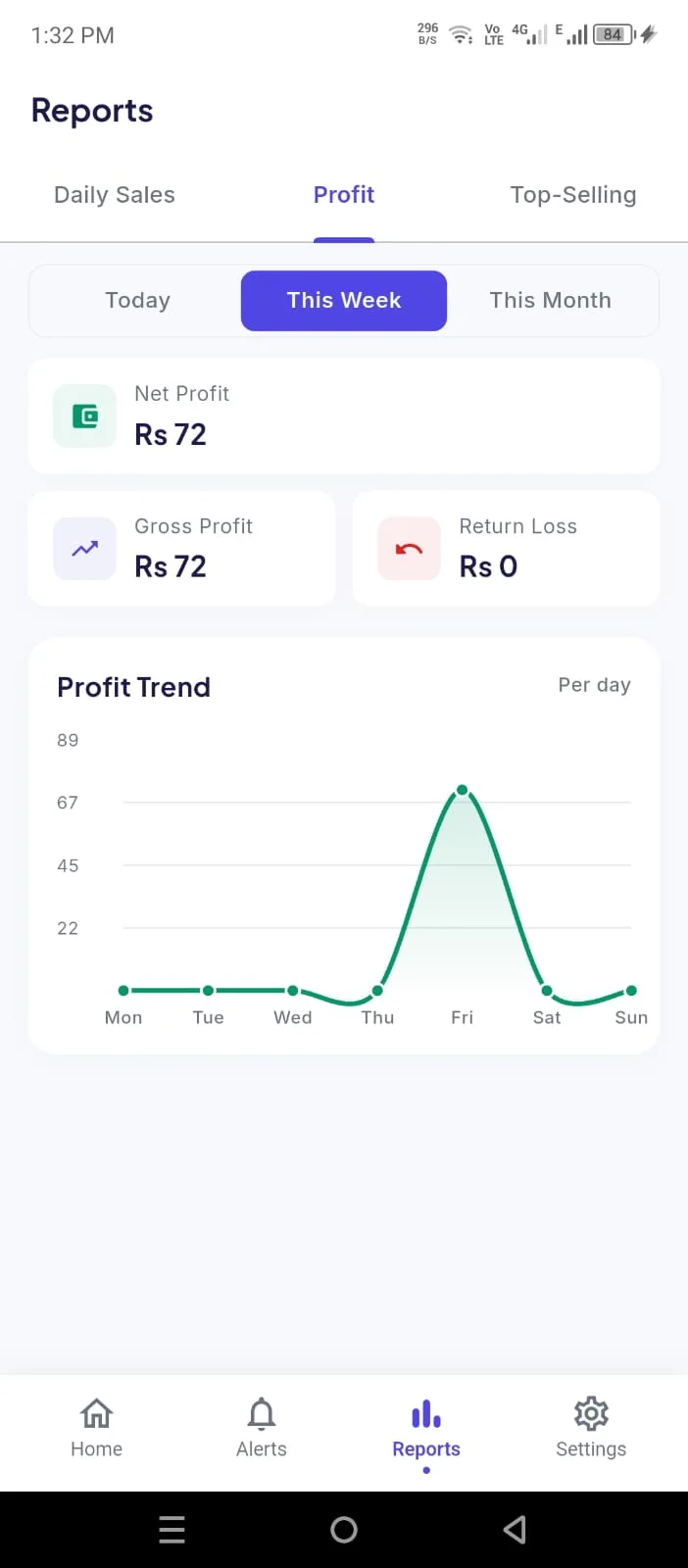
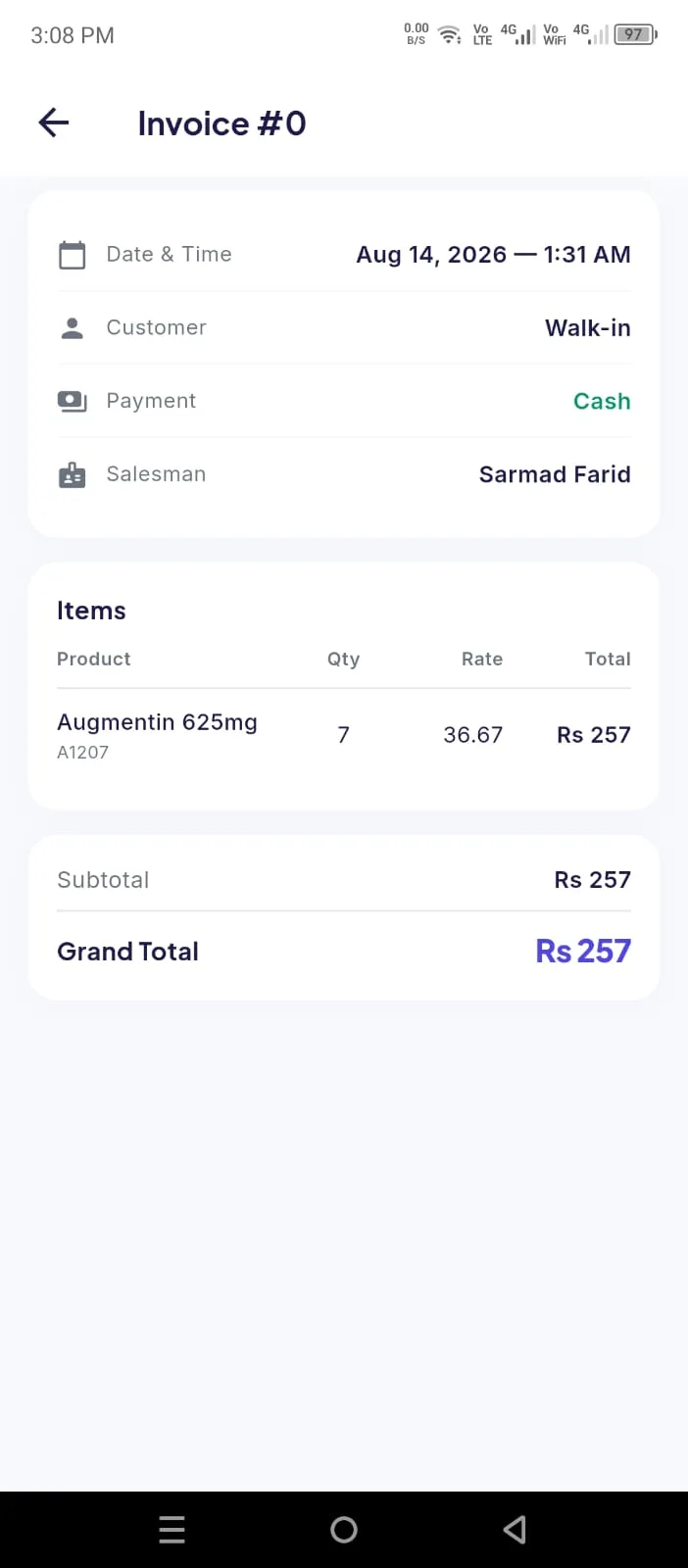
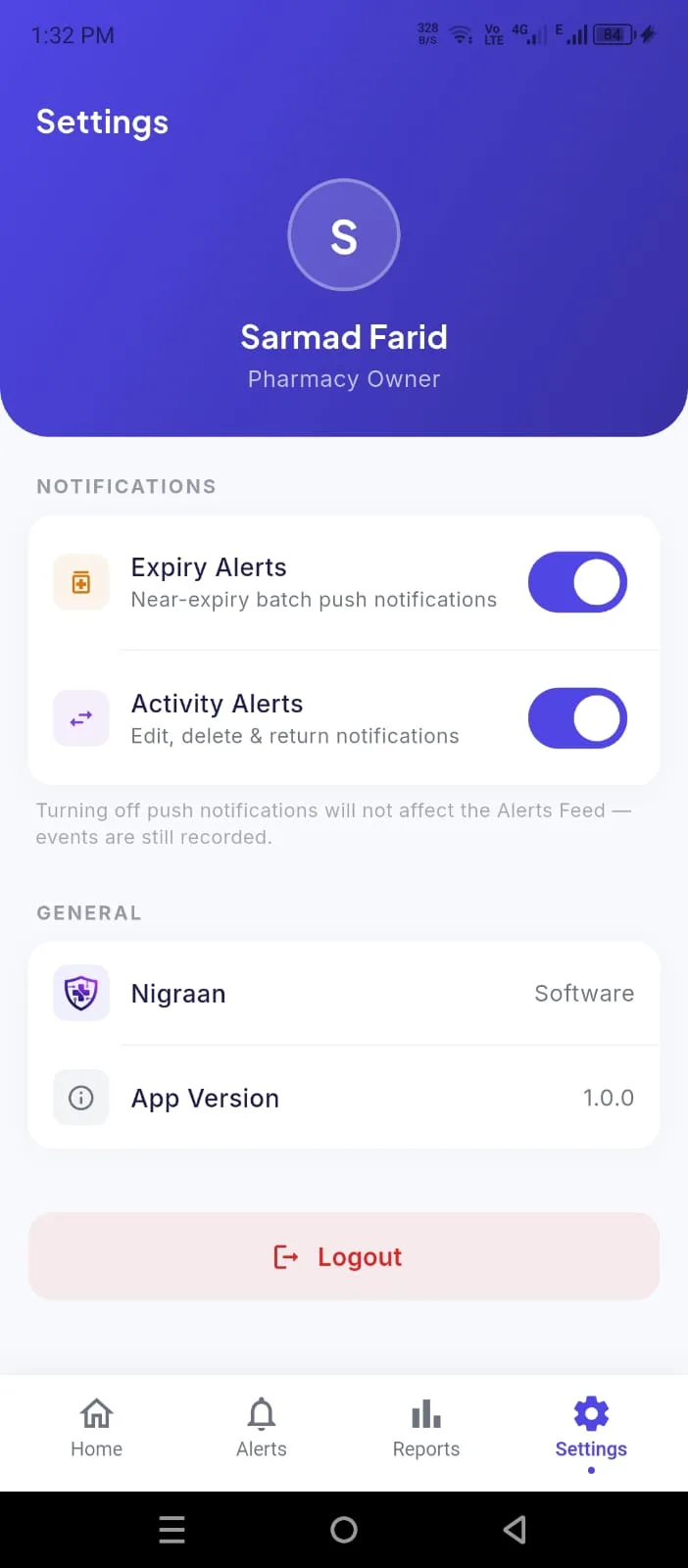
Every screen, in the owner’s hand
The same numbers from the counter — reports, an invoice’s detail, and alert settings — all read-only.
Setup
How setup works
A one-time setup, done with you — data migration, installation and training are all included in the setup fee.
Data migration
We move your medicines, stock, batches and customer balances over from your current software or registers.
Installation
We install Nigraan on your counter computer and set up the owner app on your phone, and activate your licence.
Training
We train you and your salesmen on billing, inventory and Udhari — until the daily routine feels easy.
Who builds Nigraan
Nigraan is built by Sarmad Farid and a small team in Sahiwal, Pakistan, under Sarmad Labs.
It was designed sitting with pharmacy owners — watching how bills are made at a busy counter, how Udhari is actually recorded, and what happens when a distributor’s return window closes. That is why it works offline first, and why the owner app shows what it shows.
When you call for support, you reach the people who build it.
Pricing
Simple pricing
One-time setup
Rs. 5,000
Monthly
Rs. 3,500
Launch PricingFAQ
Questions owners ask us
Does billing work when the internet is down?
Yes. The desktop app keeps your data on your own computer, so billing, returns and printing all work offline. When the connection comes back, everything syncs to the cloud on its own.
Can I bill from two counters at the same time?
Not on one licence. Right now a licence covers one billing terminal, so a second counter needs its own licence. If you plan to bill from two counters, tell us before setup.
I have more than one pharmacy — can I watch them all from my phone?
Yes. If you own more than one branch, the owner app lets you switch between them and see each branch’s own sales, alerts and activity, with push notifications tagged by branch. Each branch still runs on its own computer — this is about watching several shops from one phone, which is different from billing across two counters in one shop.
Will my data from my current software be moved over?
Yes. Moving your medicines, stock and customer balances is part of the setup fee, along with installation and salesman training.
Is the mobile app showing real-time numbers?
No, and we do not pretend it is. The app shows your data as of the last sync, and every screen carries a “Last updated” time so you know exactly how fresh it is.
What happens if my computer breaks or is stolen?
Your data is backed up to the cloud continuously. We install Nigraan on the new computer and restore the backup, so you carry on from where you were.
Can my salesman see profit and reports?
Every staff member logs in with their own PIN, and owner-only actions — like correcting stock — stay behind the owner’s PIN. Every sale, return and correction is stamped with who did it.
Can I give a manager access without making them an owner?
Yes. Alongside Owner and Salesman there is now a Manager role. A manager can run the back office — receive stock, correct stock, edit inventory, keep the ledgers, and see cost, profit and all reports — but cannot manage users, change settings, or edit and delete bills. Those stay with the owner.
Can Nigraan track my staff’s attendance and salaries?
Yes. You can keep staff profiles, mark attendance, record advances (pesh-gi) with a running balance, and run monthly salaries — base pay with additions, deductions and advance recovery, and net pay worked out for you. It sits in the same system as the pharmacy, so there is no separate register to keep in step.
Does it track what I owe my distributors, not just what customers owe me?
Yes. When you receive stock you record how much you paid and how much is still due, and Nigraan keeps a per-distributor balance and a running ledger — so you always know exactly what you owe each supplier.
Does it handle loose tablets, not just full strips?
Yes. Loose tablets and full strips stay in the same stock count for a medicine, so you are not maintaining two numbers for the same thing.
Is there an iPhone version of the owner app?
Not yet — the owner app is Android only for now. The desktop app runs on Windows 10 or newer.
What if I want to stop using Nigraan?
There is no contract — it is month to month with 30 days’ notice. Your data belongs to your pharmacy, and we give you an export whenever you ask for it.
Talk to us about your pharmacy
Installation, data migration from your current software, and salesman training are all included in the setup.